Experiencing the Silent Hill 2 Xbox Masterpiece
If you are looking to revisit a psychological horror masterpiece, understanding how to play the Silent Hill 2 Xbox version today is absolutely essential. Look, setting up the ultimate survival horror session is easier than you think, but you need the right technical facts to get the most out of the experience. The atmosphere of dread, the heavy psychological themes, and the unforgettable sound design all rely on optimal hardware performance to truly land their impact. You are not just playing a standard game; you are stepping into a meticulously crafted nightmare that tests your nerves, your emotional resilience, and your sanity. Navigating the foggy, monster-infested streets of this iconic town requires more than just nostalgia. It requires knowing exactly how Microsoft’s console ecosystem handles the title, from original physical media to modern backward compatibility enhancements. By the time you finish reading this guide, you will know exactly how to configure your system, optimize your display for the darkest shadows, and master the notoriously challenging controls. Grab your preferred controller, dim the lights in your room, and let’s get right into the mechanics of making this legendary horror title run perfectly on your setup.
Why the Microsoft Console Ecosystem Enhances the Horror
Choosing to experience this specific release, originally marketed as ‘Restless Dreams’ or ‘Inner Fears’ depending on your region, brings several distinct advantages to your living room. You get exclusive content packed directly onto the disc, alongside hardware-specific optimizations that pushed early 2000s technology to its absolute limits. The value proposition of sticking with this ecosystem is undeniable. First, you get the ‘Born from a Wish’ sub-scenario seamlessly integrated into the package, allowing you to explore Maria’s backstory without needing secondary purchases or expansion packs. Second, the hardware architecture allowed for incredibly stable frame rates, ensuring that the heavy volumetric fog and complex dynamic lighting did not cause the system to crash during intense enemy encounters. Third, the localized audio processing chip delivered a much crisper surround sound experience, which is critical for a game that relies heavily on auditory cues to terrify the player.
Read also: Can PS4 Games Be Played On PS5? Complete Guide; Nintendo Switch 2 Leaks: Specs, Rumors, and Hardware News.
| Console Generation | Playability Status | Visual Performance & Audio |
|---|---|---|
| Original Xbox | Native Disc Support | 480p Output, stable frame rate, uncompressed original textures |
| Xbox 360 | Emulation via Physical Disc | Upscaled 720p, minor texture glitches, occasional audio desync |
| Xbox Series X | HD Collection Compatibility | 4K Upscaled via system level, smoothed textures, fast loading |
To truly maximize your horror session, you must take active steps to configure your environment. Do not just boot up the software and expect perfection out of the box. Follow these critical adjustments to ensure you are getting the intended artistic vision. 1. Calibrate your television’s black levels specifically for this title. The game uses deep, crushing shadows to hide enemies, and if your brightness is too high, the fog looks washed out and the tension is entirely ruined. 2. Utilize a dedicated surround sound headset or a 5.1 home theater system to take full advantage of the directional audio cues; hearing the scrape of a massive blade behind you before you see it is mandatory. 3. Familiarize yourself with the customized controller mapping unique to the Microsoft gamepad layout, as the heavy, deliberate button presses are designed to make you feel panicked during combat.
Origins of the Restless Dreams Release
When the title was initially ported to Microsoft’s massive black console, the developers wanted to ensure it was not just a lazy re-release. They branded it with a specific subtitle to indicate that it contained significant additions over the original launch. The primary draw was the inclusion of a brand-new, self-contained campaign that provided crucial narrative context for one of the most enigmatic characters in the story. This marketing strategy successfully positioned the port as the definitive edition of the game at the time, offering players who had already completed the initial release a compelling reason to purchase the software a second time. The underlying code was tweaked to communicate seamlessly with the unique unified memory architecture of the new hardware.
Evolution Across Console Generations
As the industry transitioned into the high-definition era, the legacy of this specific version faced several complex hurdles. The Xbox 360 attempted to run the original disc via software emulation, which led to mixed results. While it allowed purists to keep their physical media alive, the emulation layer occasionally struggled with the complex transparency effects used for the fog, resulting in minor visual artifacts. Later, a highly controversial HD Collection was released, completely rewriting the foundational code to support widescreen aspect ratios and high-definition output. Despite initial technical bugs and missing fog layers, subsequent patches on the platform helped stabilize the experience, making it the most accessible way for modern players to access the story without tracking down rare retro hardware.
The Modern State of Backward Compatibility
Today, the landscape of accessing classic horror titles is heavily reliant on digital preservation and platform backward compatibility. The Microsoft ecosystem remains one of the strongest proponents of keeping legacy titles playable. By utilizing the robust emulation features built into the Xbox Series X, players can insert older physical media or download digital licenses to experience the game with system-level enhancements. Auto-HDR features inject new life into the bleak color palette, while solid-state drives completely eliminate the agonizing loading screens that originally broke the tension between different zones of the town. It is a testament to the enduring legacy of the game that modern hardware is still being utilized to optimize a two-decade-old masterpiece.
Audio Engineering and Spatial Sound Processing
The auditory landscape of the town is arguably more terrifying than the visual elements. The original hardware utilized a custom audio processor capable of real-time 3D sound positioning, a feature that was heavily leveraged by the sound design team. The ambient industrial noises, distant metallic scraping, and erratic radio static were all programmed to output through specific spatial channels. This meant that if a creature was lurking in the western alleyway, the player’s left speaker would subtly broadcast the threat long before the flashlight illuminated the danger. The localized hardware decoding ensured that these massive audio files could stream from the disc without causing gameplay stuttering, a common issue on less powerful machines of the era.
Volumetric Rendering and Texture Mapping
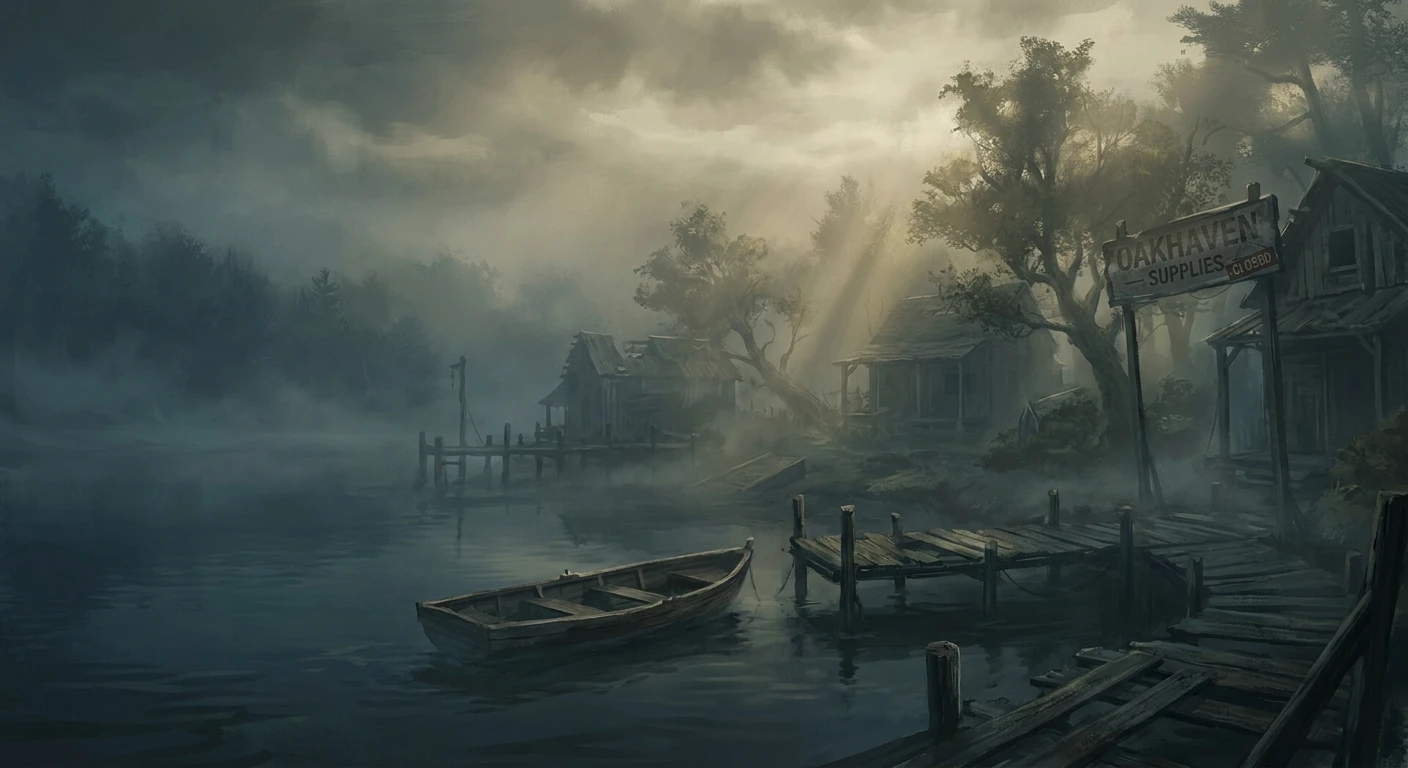
Visually, the game is a masterclass in using technical limitations to enhance artistic intent. The thick, oppressive fog that blankets the town was not just an aesthetic choice; it was a clever rendering technique designed to hide the limited draw distance of early 3D hardware. However, the Microsoft port pushed this technology further. Here are the specific technical achievements that set this version apart from standard contemporary releases:
- Custom volumetric fog generation utilizing layered transparency masking to create a dense, claustrophobic atmosphere that physically reacts to the player’s movement.
- Real-time dynamic shadow casting derived from the player’s flashlight position, heavily stressing the console’s graphical processor dynamically to create elongated, terrifying silhouettes.
- Compressed audio sequencing designed specifically to loop seamlessly in the background without taxing system memory or causing noticeable audio popping.
- Advanced bump-mapping applied to specific environmental textures, giving materials like rusted metal, damp concrete, and peeling wallpaper a highly realistic, tactile appearance.
Step 1: Securing the Game Media and Hardware
The first step in your journey is acquiring the software. If you are a purist, tracking down the original physical disc labeled with the ‘Restless Dreams’ subtitle is the ultimate goal. You will need an original console or a compatible Xbox 360 to read this disc natively. Alternatively, for absolute convenience and modern stability, purchasing or downloading the digital HD Collection on a current-generation Series X is the most frictionless path. Ensure your console has sufficient storage space and is connected to the internet to download any necessary backward compatibility patches before launching the application.
Step 2: Configuring Console Display Settings
Do not simply accept the default visual output. Navigate to your system’s display settings and ensure your output resolution matches your television. If you are using an older console, an upscaler might be necessary to prevent modern 4K televisions from stretching and blurring the image. Dive into the game’s internal options menu and adjust the brightness slider meticulously. The calibration image should be barely visible. If you can clearly see the darkest parts of the test image, your game will be far too bright, completely ruining the psychological tension and making the monsters look entirely non-threatening.
Step 3: Optimizing Surround Sound Audio
Audio is fifty percent of the horror experience. Connect a high-quality gaming headset directly to your controller or route your console’s audio output through an optical cable to a dedicated surround receiver. In the game’s audio options, switch the output from stereo to surround if the option is available. This configuration allows you to hear the subtle, disturbing soundscapes exactly as the composer intended. The radio static, which serves as your primary monster proximity warning, relies heavily on clear treble frequencies, so ensure your equalizer settings are not artificially boosting the bass too high.
Step 4: Navigating the Opening Fog
When you finally gain control of James Sunderland at the observation deck, take a moment to understand the movement physics. The game utilizes deliberate, heavy tank controls. Pushing forward always moves the character in the direction they are facing, regardless of the fixed camera angle. This takes exactly fifteen minutes to get used to, but it is intentional. It forces you to commit to your movements and prevents you from easily dodging past threats in narrow hospital corridors. Walk down the long, silent trail to the cemetery to build your muscle memory before the real danger begins.
Step 5: Managing Inventory Effectively
Survival horror is fundamentally about resource management. Every health drink, first aid kit, and box of handgun ammunition is a precious commodity. Do not waste bullets on lone enemies in wide-open outdoor spaces; simply turn off your flashlight to reduce your visibility and run past them. Save your heavy ammunition, like shotgun shells, exclusively for enclosed boss encounters where evasion is mathematically impossible. Regularly check your inventory screen, as the game does not pause to give you a detailed heads-up display during active combat, maintaining the constant pressure of survival.
Step 6: Solving Riddle Difficulties
The game famously separates combat difficulty from puzzle difficulty. If you choose a high riddle difficulty, be prepared for complex, abstract logic puzzles that require deep reading of scattered memos and a solid understanding of literary metaphors. Keep a physical notepad next to your controller. You will need to write down safe codes, track the alignment of specific coins, and decipher cryptic poems to progress through the apartments and the hospital. Do not rely heavily on internet guides unless you are hopelessly stuck; solving these psychological locks yourself is deeply rewarding.
Step 7: Unlocking Multiple Endings
Your actions, not just a final dialogue choice, dictate how the story concludes. The game secretly tracks how often you heal yourself, how close you stay to certain companion characters, and how frequently you examine specific inventory items. To get a specific ending, you must roleplay the psychological state of the protagonist. If you want the ‘In Water’ ending, act recklessly and keep your health low. If you want the ‘Leave’ ending, stay fully healed and listen to every piece of positive dialogue. After your first playthrough, utilize a detailed guide to unlock the bizarre, secret joke endings.
Myth: The Xbox Version is a Direct Downgrade
Myth: The Xbox port is just a basic visual downgrade from the original release designed to cash in on a different audience. Reality: This is entirely false. It actually introduced exclusive story content, specifically the Maria scenario, and maintained incredibly high texture fidelity for its time, utilizing the superior hardware capabilities of the console to stabilize the notoriously demanding fog rendering engine.
Myth: You Must Own Retro Hardware
Myth: You must own original retro hardware to experience the game today, making it impossible for modern gamers. Reality: Thanks to Microsoft’s extensive backward compatibility updates and various collection releases, the title remains highly accessible on subsequent console generations, including the Xbox Series X ecosystem.
Myth: The HD Collection is Unplayable
Myth: The HD Collection on Xbox 360 is entirely unplayable and broken beyond repair. Reality: While it certainly launched with severe bugs and controversial artistic changes, post-launch patches on the Microsoft platform resolved several major synchronization issues, making it a perfectly viable, if slightly flawed, way to experience the narrative.
Myth: The Flashlight is Pre-Rendered
Myth: The flashlight mechanic is entirely pre-rendered and does not interact with the environment. Reality: The flashlight utilizes real-time directional lighting calculations, stressing the console’s graphical processor dynamically to cast accurate, shifting shadows based on the exact geometry of the enemies and the surrounding hallways.
Is the Born from a Wish scenario available?
Yes, the exclusive scenario featuring Maria is included directly on the disc for this version. You do not need to download any extra files or enter cheat codes to access it. It provides about an hour of additional gameplay and crucial narrative context that deeply enriches the main storyline.
Can I play the original disc on a Series X?
Unfortunately, the original physical disc is not directly supported via backward compatibility on the Series X. To play it on the newest hardware, you must utilize the digital or physical HD Collection version, which contains the game alongside the third entry in the series, fully upscaled for modern displays.
Does the game support widescreen natively?
The original release was designed specifically for a 4:3 aspect ratio, common for cathode-ray tube televisions of the era. Playing the original disc will result in black bars on the sides of a modern television. Only the later HD Collection natively supports a 16:9 widescreen presentation.
Are there frame rate drops during heavy fog?
The original hardware handled the volumetric fog exceptionally well, maintaining a highly stable 30 frames per second during most outdoor exploration segments. You might experience minor stuttering during intense boss fights with multiple particle effects, but the overall performance remains incredibly solid.
How does the controller layout differ?
The control scheme is mapped specifically to the asymmetrical design of the Microsoft gamepad. The face buttons handle action and cancellation, while the triggers are utilized heavily for aiming and strafing. It takes a brief adjustment period if you are used to symmetrical controller layouts, but it feels highly tactile and responsive.
Is the HD Collection the only digital option?
Currently, yes. If you are looking to purchase the game digitally without hunting down expensive physical media, the HD Collection available on the digital storefront is the only officially supported method to acquire the title on modern hardware.
What is the optimal difficulty setting for newcomers?
For your first playthrough, it is highly recommended to set the combat difficulty to Normal and the riddle difficulty to Normal. This provides a balanced experience where resources are scarce but manageable, and the puzzles require thought without being impossibly obscure. You can adjust these independently when starting a new game.
Conclusion: Step Into the Fog
Experiencing this psychological horror masterpiece on Microsoft’s hardware is an unforgettable journey into the depths of human trauma and atmospheric game design. By understanding the technical nuances, configuring your display and audio properly, and embracing the deliberate, challenging mechanics, you guarantee yourself an optimal playthrough. Do not let minor technical hurdles stop you from witnessing one of the greatest narratives in gaming history. Ensure your setup is ready, gather your courage, and step confidently into the fog today.



Leave a Reply