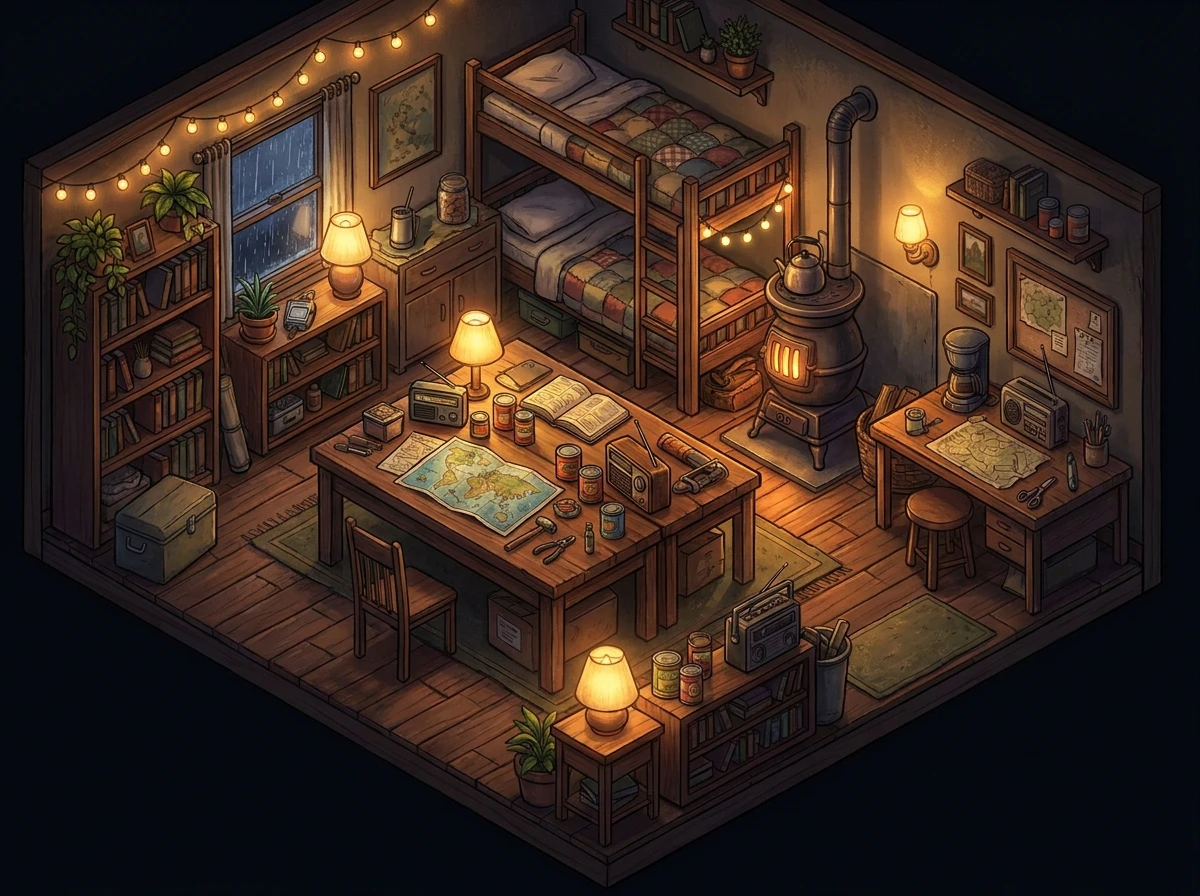
Why You Absolutely Need project zomboid mods
Listen, if you want to completely change your survival experience, installing the right project zomboid mods is exactly where you need to start. I remember sitting in my flat in Kyiv last winter. The power grid was down, I was running my laptop off a heavy power bank, and the rain was absolutely hammering the window. I was trying to survive just one more night in Knox Country. The vanilla game is totally brutal, sure. But once you add custom cars, a better inventory interface, and a few quality-of-life tweaks, the entire experience morphs into a whole different beast. It feels like going from riding a rusty bicycle with flat tires to driving a fully armored off-road fortress.
I have spent way too many nights tweaking load orders, figuring out what breaks my saves, and testing literally everything the community has to offer. Now, I am handing you the ultimate setup to save you all that headache. We are going to break down exactly what works, what ruins your game, and how to build a setup that feels incredibly smooth and natural. Believe me, once you tweak the mechanics to fit your exact playstyle, you will never look at the base game the same way. It just hits completely different when your character can actually sit on a chair properly, read a book without standing like a mannequin, or repair gear with realistic duct tape mechanics.
The Core Benefits of Upgrading Your Sandbox
I always tell people that community creations act like fine sandpaper, smoothing out the rough edges of an already incredible game. Adding these custom files gives you practically endless replayability. For instance, map expansions like Raven Creek add a massive, dense urban environment that completely changes how you loot and fight. You are no longer just sneaking around quiet suburban houses; you are navigating massive skyscraper complexes and collapsed highway overpasses. Another great example is the Autotsar Motorclub suite, which revamps vehicle mechanics so deeply that you can genuinely live out of a modified school bus or an armored RV.
| Category Focus | Community Top Pick | Main Benefit for You |
|---|---|---|
| Quality of Life | Has Been Read | Instantly see which books you already finished to save time and inventory space. |
| Map Expansions | Bedford Falls | Adds a massive new town full of high-tier loot, hidden bunkers, and extreme danger. |
| Vehicle Overhauls | Filibuster Rhymes’ Used Cars | Introduces dozens of realistic, lore-friendly vehicles to replace the generic vanilla models. |
If you want to start installing these safely without nuking your save file, you must follow these core steps. You cannot just blindly subscribe to everything on the workshop and hope for the best.
- Always backup your user files. Navigate to your local folder and copy the ‘Saves’ directory to your desktop before you even open the workshop. If something breaks, you just drag it back.
- Read the description thoroughly. Many creators put essential compatibility warnings right at the top of their page, and ignoring them will cause massive memory leak errors.
- Install dependencies first. A lot of massive overhauls require base framework files like ModOptions or Tsar’s Common Library to function properly. Without them, the game simply will not launch.
Trust me, doing this right takes ten extra minutes upfront but saves you dozens of hours of lost progress down the line.
The Humble Origins of Community Content
Let me take you back a bit. In the early days, long before the massive multiplayer boom, customizing this game was seriously rough. You had to manually download zip files from old forums, carefully extract them, drag and drop folders into specific game directories, and pray you did not accidentally overwrite a core engine file. The community was small but incredibly dedicated. People were just trying to add basic things, like crude silencers for pistols or maybe a slightly larger type of backpack. We spent hours reading raw text files just to figure out why the game crashed on the startup screen. It was a wild, untamed frontier of trial and error.
The Evolution of Steam Workshop Integration
Everything shifted dramatically when the developers fully embraced the Steam Workshop. Suddenly, it was just one click to subscribe. The technical barrier to entry vanished practically overnight. Creators started pushing the absolute boundaries of the isometric engine. We went from simple color texture swaps to entirely new gameplay mechanics. People figured out how to add functional RV interiors where you could physically walk around inside a moving vehicle, working animations for eating and drinking, and completely new medical systems. The workshop became an absolute goldmine. You could literally tailor the apocalypse to whatever specific vibe you wanted, whether that was a quiet rural farm life or a brutal, high-action military extraction scenario.
The Modern State of Survival Customization in 2026
Now that we are pushing through 2026, the ecosystem is just mind-blowing. The sheer volume of high-quality content is absolutely staggering. Whole teams of community developers treat this like a full-time job, releasing massive content packs that easily rival official DLCs in major AAA games. Frameworks have become standardized, meaning different custom files communicate with each other flawlessly. You can run a dedicated multiplayer server with three hundred custom items, vehicles, and maps, and it runs smoother than the base game did five years ago. It is genuinely the golden age for custom survival mechanics, and there has never been a better time to jump in.
Understanding LUA Scripting and Game Engine Mechanics
Okay, let us get a little technical for a second, but I promise I will keep it incredibly simple. The game itself runs on a custom Java-based engine, but the vast majority of the community content is written in a language called LUA. LUA is a super lightweight, incredibly flexible scripting language. When you subscribe to an item on the workshop, you are basically downloading a folder full of these LUA scripts, a few 3D models, and a bunch of PNG texture files. The game reads these specific scripts during the startup sequence and overrides its own default code. That is exactly why you can change practically any parameter, from how fast your character gets hungry in the rain to the exact spawn rate of sledgehammers in hardware stores.
Navigating Mod Load Order and Compatibility
Here is where most players completely mess up: the load order. The game loads these LUA scripts sequentially, one after another. If two different creators try to change the exact same thing—let us say, how crafting bandages works—the script that loads last usually wins. But sometimes, they just crash into each other and completely break the game logic.
- Frameworks First: Always load library files and core frameworks at the very top of your active list. They act as the foundation.
- Map Files: Custom map expansions need to load before the default Muldraugh map; otherwise, the new towns will just appear as massive forests.
- Item Overhauls: Weapons, clothing, and food expansions should load in the middle of the order.
- Client vs Server: If you are hosting for friends, remember that server-side scripts handle the world rules, while client-side scripts handle the UI. Everyone must have the exact same active list to join successfully.
Day 1: Vanilla Plus Foundations
Start with the absolute essentials. Do not rush. Grab ModOptions, Tsar’s Common Library, and basic quality of life fixes like ‘Weapon Condition Indicator’ and ‘Better Sorting’. Boot up the game, start a fresh sandbox world, and make sure no red error boxes pop up in the bottom right corner of the screen. Run around for a bit and verify the base game is stable.
Day 2: Overhauling the User Interface
The default inventory is fine, but we can do so much better. Add ‘Tarkov Style Inventory’ or ‘Clear Moodles’. Tweak your interface settings so you can actually read your health status without squinting at the monitor. Play for an hour to ensure everything feels comfortable, responsive, and intuitive for your specific monitor resolution.
Day 3: Introducing New Vehicles and Mechanics
Now we add the really fun stuff. Subscribe to ‘Filibuster Rhymes’ Used Cars’ and ‘Autotsar Trailers’. Spawn into the world, find a random car, hotwire it, and drive around the block. You want to make absolutely sure the physics are working properly and that all the new vehicle textures are loading without any weird invisible polygons.
Day 4: Expanding the Map with Custom Cities
Map expansions are heavy and require care. Add ‘Raven Creek’ or ‘Grapeseed’. You absolutely must start a brand new save file for this, because new map cells will simply not generate in areas your character has already explored. Check the in-game map immediately to confirm the new towns actually exist on the paper map.
Day 5: Weapons, Gear, and Crafting Expansions
Bring in massive packs like ‘Brita’s Weapon Pack’ or ‘Scrap Armor’. These add hundreds of items to the global loot tables. Go raid a local police station or a hardware store in your test world. Verify that the new guns and armor are actually spawning inside the correct lockers and crates.
Day 6: Multiplayer Synchronization and Server Testing
If you are exclusively playing solo, you can skip this. But if you are hosting, this is the day you meticulously copy your local list over to your dedicated server settings. Have your friends try to join. Troubleshoot any annoying ‘Workshop item version different’ errors by forcing a file verify through the Steam client.
Day 7: The Final Polish and Playthrough Launch
Do one final sweep of your list. Adjust the sandbox settings to balance the ridiculous amount of high-tier loot you just added to the world. Maybe increase the enemy population significantly to compensate for your new military-grade weapons. Once the balance feels completely right, delete your test saves and start your real, long-term survival run.
Myths and Reality in the Community
People spread a lot of garbage information on Reddit about customizing this game. Let us clear that up right now so you do not get confused.
Myth: Adding workshop files will immediately ruin your game performance and cause massive, unplayable lag.
Reality: Only poorly optimized scripts or excessive, bloated map additions cause lag. If you stick to highly-rated, well-coded files from established creators, your frame rate will remain completely stable and smooth.
Myth: You cannot add new content to a save file you have already started weeks ago.
Reality: You absolutely can add most items, weapons, and vehicles to an existing save. However, you will only find the new physical items in completely unexplored areas of the map where loot has not generated yet.
Myth: Using these files means you are cheating and completely ruining the intended difficulty.
Reality: Customization is entirely about tailoring the sandbox to you. Many players actually use these exact tools to make the game drastically harder, like adding incredibly smart enemies or making food spoil much faster.
Myth: If a creator updates their file, your multiplayer server will instantly break and corrupt.
Reality: Steam handles these updates automatically in the background. Server hosts just need to quickly restart the server so it can fetch the latest workshop versions to match what the players downloaded.
Do I need a supercomputer to run a heavily customized game?
Not at all, man. The engine is heavily reliant on your CPU and RAM, not your graphics card. If you have 16GB of decent RAM, you can easily run well over two hundred custom files without your computer breaking a sweat.
How do I fix the annoying red error box in the corner of my screen?
That little red box just means a background LUA script failed to execute properly. You need to open the ‘console.txt’ file in your local user directory, scroll down to the bottom to see which specific script crashed, and then disable the offending item in the menu.
Can Mac and Linux players use the Steam Workshop too?
Yes, absolutely. The Java-based nature of the underlying engine means that custom files are universally compatible across Windows, Mac, and Linux systems without needing separate versions.
What is the absolute best map expansion for a hardcore, unforgiving run?
Raven Creek is widely considered the ultimate test for hardcore players. The dense, multi-story urban layout means death is waiting around literally every single corner, but the loot density is incredibly rewarding if you survive.
Why are my custom cars spawning without doors, tires, or hoods?
This frustrating bug usually happens when you load a massive vehicle overhaul but completely forget to install the required base framework library. Always double-check the required items box on the right side of the workshop page.
Can I use Brita’s Weapon Pack without it making me totally overpowered?
Yes, Brita’s comes with extensive ModOptions integration built right in. You can heavily tweak the spawn rates of suppressors, high-caliber ammo, and automatic weapons to keep the survival aspect perfectly balanced.
Is there a hard limit to how many files I can subscribe to?
Technically, no. But practically, the engine will eventually start to struggle with memory allocation once you push past four or five hundred active items. Keep your list curated and delete things you never actually use.
Final Thoughts on Your New Survival Sandbox
Alright, that wraps up everything you seriously need to know. Building the perfect environment takes a little patience and a lot of testing, but the payoff is massive. Stop suffering through clunky mechanics and start building the exact apocalypse you actually want to play. Get out there, backup your precious saves, and start subscribing to the absolute best additions the community has heavily curated for you. Stay safe out there in Knox Country, and happy surviving!


Leave a Reply