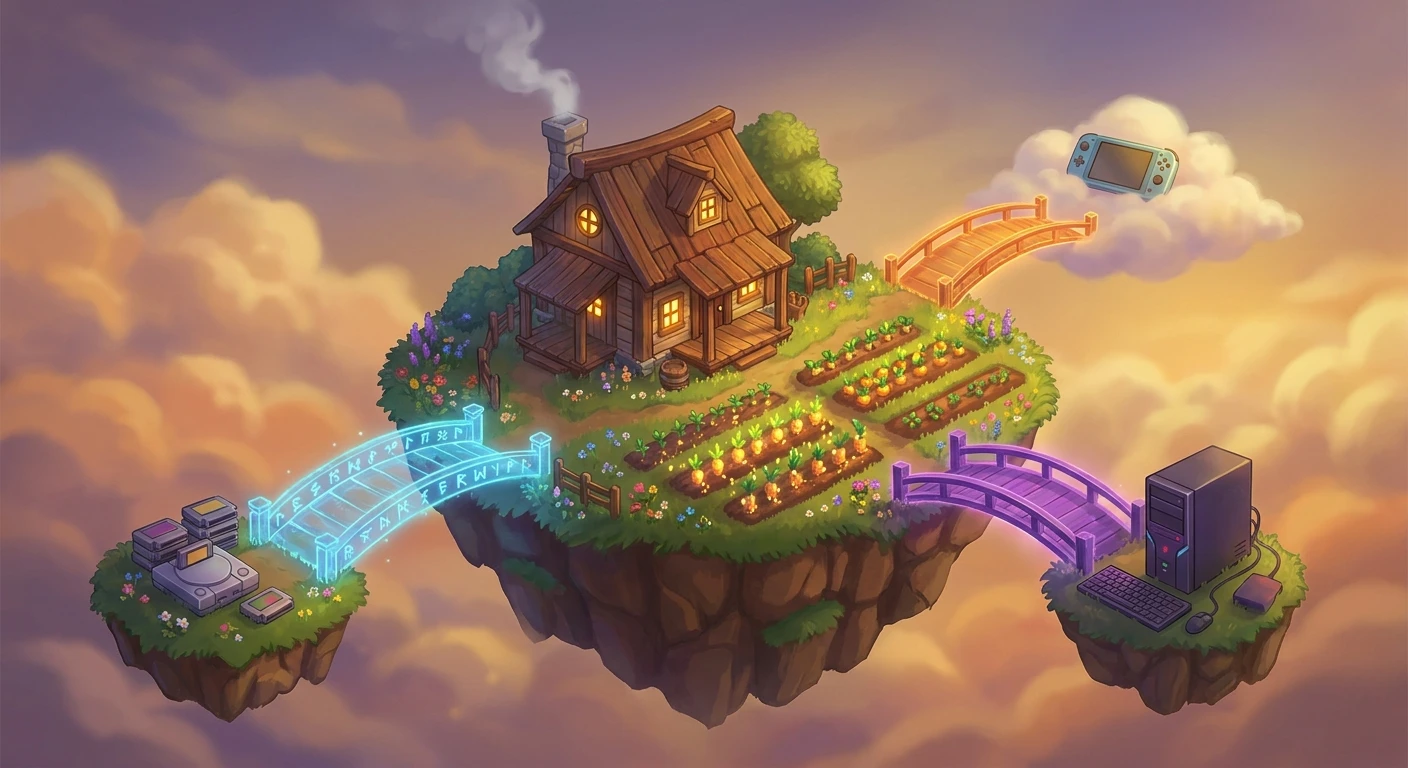
Is Stardew Cross Platform? The Ultimate Multiplayer Breakdown
Farming alongside friends offers one of the most rewarding experiences in modern gaming, but coordinating those sessions requires understanding the technical boundaries of your hardware. As players look to cultivate crops, mine for resources, and rebuild the community center together, the foremost question that arises is simply: is Stardew cross platform? This question dictates hardware purchases, influences which digital storefronts players use, and directly impacts the social dynamics of digital agriculture. While the game provides seamless cooperative features on specific ecosystems, navigating the boundaries between distinct console families and computer operating systems requires precise technical knowledge. Multiplayer mechanics allow up to eight players to share a single farm, pooling their resources and splitting daily tasks to achieve maximum efficiency. However, the networking infrastructure behind these connections relies heavily on closed platform ecosystems rather than unified central servers. Understanding how these distinct systems communicate—or fail to communicate—determines your ability to successfully host a sprawling agricultural empire with your friends.
The Reality of Farm Compatibility
To fully grasp the cooperative landscape, you must distinguish between true cross-platform functionality, cross-generation support, and cross-storefront integration. While you cannot seamlessly connect a Nintendo Switch to an Xbox console, there are specific compatibility bridges built into the game’s architecture. PC players benefit from the most flexible networking ecosystem, whereas console users must operate within strict walled gardens established by hardware manufacturers. Mobile farmers face an entirely different set of restrictions, prioritizing portable solo play over interconnected farming.
Read also: Is Stardew Valley Crossplay? Platform Compatibility Guide; Is Party Animals Crossplay? The Definitive Guide.
| Gaming Platform | Cross-Play Compatibility | Cross-Save Support |
|---|---|---|
| PC (Windows/Mac/Linux) | Yes (Across PC storefronts & OS) | Manual File Transfer Only |
| PlayStation (PS4/PS5) | Cross-Gen Only (PS4 to PS5) | Cloud Sync via PS Plus |
| Xbox (One/Series X|S) | Cross-Gen Only (Xbox family) | Cloud Sync via Xbox Network |
| Nintendo Switch | None (Switch only) | Cloud Sync via Nintendo Switch Online |
| Mobile (iOS/Android) | None (No multiplayer) | Manual File Transfer (To PC) |
Understanding this architecture demonstrates a clear value proposition for specific hardware choices. For example, if you purchase the game on Steam, you can effortlessly farm alongside friends using the GOG version or playing on macOS, granting PC gamers a distinct advantage in community building. Another strong example exists within the Microsoft ecosystem, where Xbox One owners can maintain a perfect connection with friends who have upgraded to an Xbox Series X, ensuring hardware upgrades do not fracture established friend groups.
- First, verify the exact hardware platform every participant intends to use before purchasing digital copies to avoid isolation.
- Second, understand that game versions must match perfectly; if one platform receives a patch before another, multiplayer bridges temporarily break.
- Third, designate the player with the most stable internet connection and the most powerful hardware as the permanent host, since their machine will handle all simulation calculations for the group.
Origins of Multiplayer Farming
The addition of cooperative farming was not part of the original launch window. When the title first debuted as a solo experience, the developer focused entirely on perfecting the core feedback loop of planting, harvesting, and community interaction. The codebase was originally written strictly for single-player event handling, meaning every variable—from the passage of time to the position of non-playable characters—was tied to a single user’s input. Enthusiasts attempted to force cooperative mechanics early on via unofficial modifications, but these makeshift solutions suffered from severe desynchronization issues and frequent game crashes, proving that a native solution was required.
The Evolution of Co-op Architecture
Implementing official multiplayer required a massive overhaul of the underlying engine. The creator partnered with an external development studio to rewrite the network stack entirely. This grueling process involved separating the local logic from the visual rendering, creating a system where a host machine acts as a definitive server while client machines send input requests. Update 1.3 officially introduced this architecture, fundamentally altering how players interacted with the rural setting by allowing them to share the financial burden and time-management constraints of rural life. This update set a new standard for independent game updates.
The Modern State of Multiplayer Servers
Today, the cooperative infrastructure is highly refined, supporting up to eight simultaneous players natively on supported PC setups. The introduction of local split-screen functionality further expanded accessibility, allowing roommates and families to share a single display without requiring multiple game licenses or complex network configurations. Despite these extensive advancements, the fundamental barrier of cross-console connectivity remains intact, dictated entirely by the strict certification policies of the hardware manufacturers rather than the limitations of the internal code base.
Understanding Server Architecture
The networking model utilizes a peer-to-peer architecture rather than relying on centralized dedicated servers. In a traditional client-server model, a neutral remote computer handles all the math, allowing players to connect and disconnect freely at any hour. In this specific farming simulation, the host’s personal machine runs the entire digital world. If the host turns off their console or computer, the session ceases to exist for everyone else. This architectural choice minimizes server maintenance costs but places the burden of network stability entirely on the players.
- Peer-to-peer networking requires the host to maintain open NAT types to guarantee smooth incoming client connections.
- The simulation calculations run at a fixed sixty frames per second; heavy network latency causes severe client-side rubberbanding.
- Matchmaking protocols are provided directly by the storefront applications, preventing independent cross-talk between competing brands.
- Internal time synchronization demands constant packet exchanges to ensure all participants experience the exact same in-game minute.
The Challenge of Cross-Network Sync
The primary reason players cannot connect a PlayStation to a Nintendo Switch is rooted in proprietary matchmaking systems. Console manufacturers require software to use their specific network infrastructure to handle friend lists, invite codes, and voice chat protocols. Building a custom backend to bypass these systems requires massive server infrastructure and complex legal agreements with each platform holder. For a solo developer, maintaining a custom cross-platform network infrastructure is logistically impossible, leaving the multiplayer experience bound to the native tools of each respective hardware ecosystem.
Step 1: Choose Your Shared Platform Ecosystem
Before breaking ground on a new cooperative venture, your entire group must agree on a single hardware ecosystem. If your friend group owns a mix of laptops and desktop computers, the PC ecosystem is your most reliable choice, offering seamless connectivity between Windows, macOS, and Linux operating systems. If your group primarily uses consoles, you must universally agree on either the PlayStation, Xbox, or Nintendo ecosystem exclusively, ensuring absolutely no player is left isolated by hardware disparities.
Step 2: Coordinate Game Versions
Cooperative sessions demand absolute version parity across all devices. If the host machine runs version 1.6 while a client machine remains on version 1.5, the connection will immediately fail upon initiation. Ensure all participants have automatic software updates enabled on their respective storefronts. When major content patches drop, they frequently hit PC platforms weeks or months before passing stringent console certification processes, creating temporary windows where cross-play bridges may fluctuate depending on exactly when the hardware manufacturers approve the patch.
Step 3: Secure Farm Cabins
A functioning multiplayer farm cannot exist without adequate housing accommodations. The host must build a dedicated physical cabin for every expected player character. When creating a fresh save file from the main menu, you can configure the starting layout to include these cabins automatically, saving early-game wood and stone resources. If you are retrofitting a legacy single-player save for a new multiplayer session, the host must visit the local town carpenter and construct these cabins manually before any friends can successfully load into the session.
Step 4: Establish the Host Connection
The designated host player carries the entire technical burden of the farming session. They must launch the application, navigate directly to the cooperative menu, and explicitly choose the hosting option rather than loading the save file through the standard single-player interface. The host should always ensure their primary device is connected via a hardwired Ethernet cable rather than Wi-Fi whenever possible, minimizing packet loss and preventing frustrating latency spikes for the joining clients who rely on a steady stream of positional data.
Step 5: Share Invite Codes
Bypassing standard platform friend lists is sometimes necessary, especially when mixing PC storefronts like Steam and GOG Galaxy. The host can open their in-game settings menu to generate a localized alphanumeric invite code. Distributing this temporary code via an external messaging application allows clients to bypass storefront matchmaking entirely and connect directly to the host’s IP address through the internal routing system. This specific code refreshes every single session, maximizing security and preventing unauthorized farm access.
Step 6: Manage Farm Finances
Upon initiating a new cooperative save, the group must make a permanent decision regarding their economic model: shared or separated finances. Shared money pools all crop and artisan income into a single cooperative bank account, requiring high levels of mutual trust and communication regarding major purchases like tool upgrades or rare seeds. Separated money gives each individual player absolute control over their own earnings, fostering friendly economic competition and protecting the larger group from one person’s impulsive spending habits.
Step 7: Schedule Synchronized Playtimes
Because the digital farm only exists when the host is actively running the application, careful out-of-game scheduling is absolutely mandatory. Players must coordinate their real-world availability to ensure the group can progress through the seasonal calendar together. The host can technically play the farm solo while the clients are offline, but this advances the in-game calendar without them, causing clients to permanently miss out on vital seasonal festivals, massive crop harvests, and important character birthdays.
Myth: Xbox and PC Players Can Farm Together
Reality: Despite Microsoft’s aggressive corporate push for integration between Windows and Xbox consoles via the Game Pass subscription ecosystem, this specific title does not support cross-play between the two environments. The PC Game Pass version can connect seamlessly with Steam and GOG users, but it absolutely cannot bridge the gap to the Xbox console network.
Myth: Mobile Users Will Eventually Get Multiplayer
Reality: The developer has explicitly confirmed multiple times that the mobile ports for iOS and Android operate strictly as single-player experiences. The immense technical overhead of maintaining stable peer-to-peer connections over fluctuating cellular networks, combined with the interface challenges of mobile touch controls, makes cooperative farming entirely unfeasible for smartphones and portable tablets.
Myth: Modded Farms Block All Multiplayer Connections
Reality: You can successfully play cooperative sessions with community modifications installed, provided that every single player in the session has the exact same modifications installed and configured identically. If the host adds a custom crop modification or expands a map layout, the clients must have those identical files loaded locally, or the software will immediately crash upon the initial connection handshake.
Myth: You Can Transfer Co-op Saves Seamlessly
Reality: Cooperative save files belong exclusively to the host machine’s hard drive. Clients cannot download the farm to play locally when the host is offline, nor can they easily transfer ownership of the digital property to another player without manually digging into the operating system’s hidden application data folders and transferring the raw system files via email or a cloud storage provider.
Does PC cross-play with Mac?
Yes, users running the application on Windows, macOS, and Linux distributions can seamlessly connect and play together. The underlying network code is unified across all desktop operating systems, allowing friends to farm cooperatively regardless of their chosen computer hardware or preferred digital storefront.
Can Switch and PS5 players farm together?
No, Nintendo Switch players cannot connect to PlayStation network servers under any circumstances. Both hardware ecosystems remain completely isolated from one another due to strict network API restrictions imposed by the respective console manufacturers to maintain their walled garden ecosystems.
Will mobile ever get multiplayer?
There are currently no active development plans to introduce cooperative gameplay to the iOS or Android versions. The mobile editions are fundamentally designed and optimized as standalone, single-player applications strictly tailored for portable, disconnected touchscreen sessions during commutes.
Are invite codes platform-specific?
Invite codes only function within their exact designated platform ecosystems. An alphanumeric code generated on a PlayStation console will simply return a network error if a PC user attempts to input it into their local client, as the matchmaking servers cannot speak to each other.
Can Xbox One play with Xbox Series X?
Yes, players utilizing the older Xbox One hardware generation can easily connect with friends using the newer Xbox Series X or Series S consoles. The Microsoft ecosystem handles cross-generation networking flawlessly, treating both generations as part of the exact same unified matchmaking pool.
Do mods affect multiplayer?
Modifications drastically impact overall network stability and connection logic. For a heavily altered game state to function correctly in a multiplayer setting, every participant must maintain a perfectly matching list of installed modifications, framework dependencies, and configuration settings to avoid sudden desynchronization.
Can I host a dedicated server?
The official retail software does not natively support headless dedicated servers. The simulation requires an active host client to constantly render the visual world and manage the daily passage of time, meaning a real person must always be logged in and playing for the farm to remain active.
How does split-screen work with online play?
You can effectively combine local split-screen rendering with standard online connectivity on supported hardware platforms. A designated host can have a local friend sitting on the couch playing via split-screen, while additional remote friends connect over the internet to fill the remaining empty farm cabins simultaneously.
Final Thoughts on Cooperative Connectivity
Figuring out networking requirements remains the only slightly stressful part of an otherwise incredibly relaxing and therapeutic agricultural adventure. By properly coordinating your hardware platform choices, verifying your game versions precisely, and establishing clear communication regarding farm finances and scheduling, your group can easily build a thriving virtual homestead that lasts for in-game years. Start planning your cooperative farm today by ensuring everyone in your friend group is logging in on the exact same digital ecosystem, and watch your communal crops flourish!


Leave a Reply