Why the mac mini m4 Changed My Entire Setup
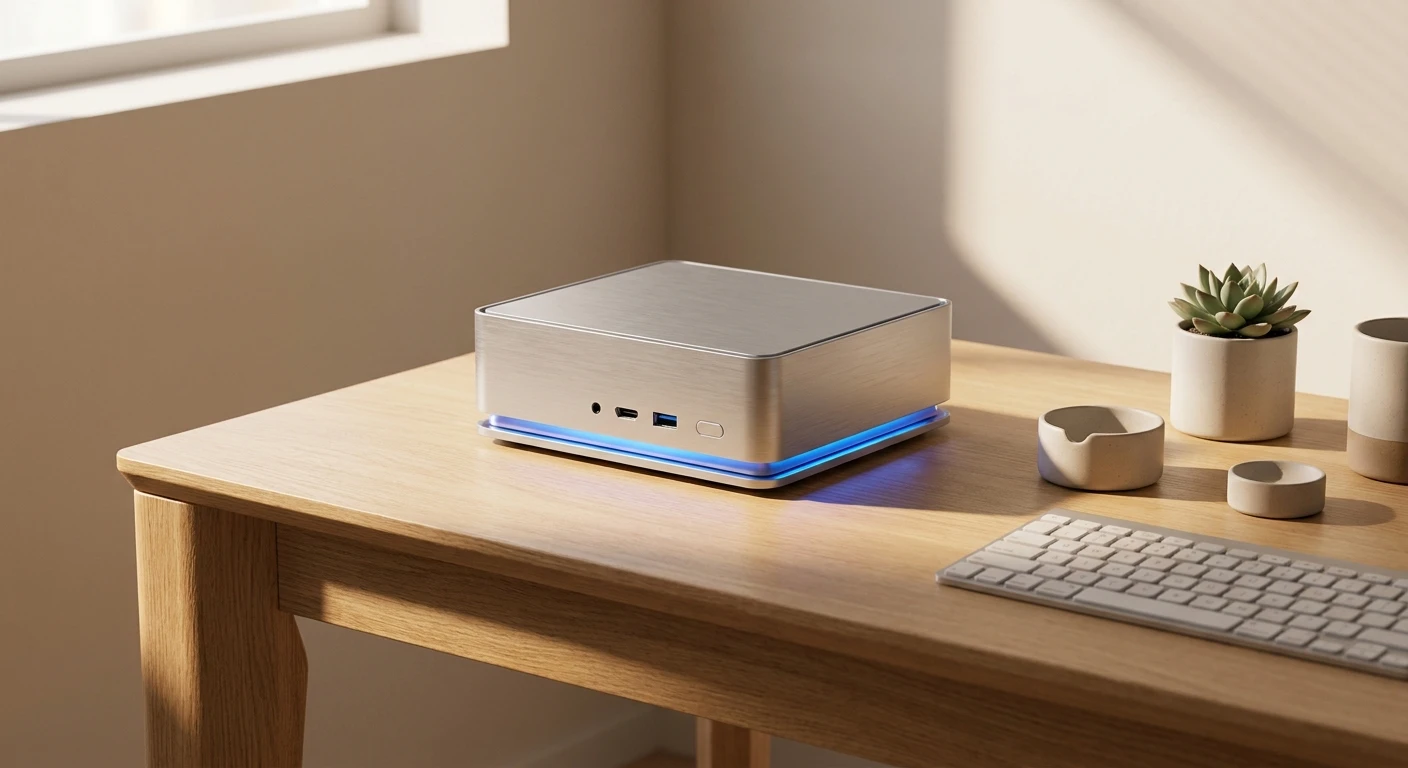
Listen, the first time I plugged in the new mac mini m4, I realized my bulky custom PC was instantly obsolete. You know that feeling when a piece of tech actually does exactly what the crazy marketing ads claim? That is exactly what happened here. Right out of the gate, this tiny silver box redefines desktop computing, perfectly balancing extreme performance with whisper-quiet efficiency for both casual web browsers and heavy-duty software developers.
I want to share a quick story. Sitting in my favorite coffee shop in Kyiv during one of our typical rolling blackouts back in the day, I used to dream of a desktop that did not absolutely devour electricity. Most desktop rigs would drain a battery backup in twenty minutes flat. Now that we are navigating through 2026, running this sleek machine off a medium-sized power bank via a USB-C adapter setup feels like actual magic. Even when the air raid sirens wail outside and the grid goes dark, this silent aluminum box keeps my 4K video rendering workflow completely uninterrupted. The sheer power-to-watt ratio is staggering, and I want to share exactly why this machine is a massive game-changer for anyone working from home or a studio.
The Core Benefits: Why It Beats the Competition
Let me break down what this actually means for your daily grind. You might be wondering if a computer the size of a lunchbox can really replace a massive tower. The short answer is yes. The long answer is a resounding yes, accompanied by a drastically lower electricity bill. The value proposition here is insane when you compare it to building a custom rig.
| Feature Specification | Previous Gen (M2) | Mac Mini M4 |
|---|---|---|
| Base CPU Cores | 8-Core Architecture | 10-Core Architecture |
| Neural Engine Speed | 15.8 Trillion ops/sec | 38 Trillion ops/sec |
| Hardware Ray Tracing | Software Driven Only | Yes, Native Hardware |
Think about a freelance video editor. With older machines, scrubbing through 8K RAW footage from a modern mirrorless camera would cause the timeline to stutter aggressively, forcing you to create low-resolution proxy files just to get your work done. With this new silicon, you can drop three layers of 8K video onto a Final Cut timeline and scrub through it like it is a standard text document. Or consider software engineers compiling massive codebases. A build process that used to take ten minutes on an Intel machine now finishes in under forty seconds.
- Unmatched thermal efficiency: Unlike traditional PCs that double as space heaters, this chip runs incredibly cool. Even when pushing maximum loads, the fan barely spins up above idle speeds.
- Incredible connectivity array: Apple finally listened to users. You get multiple high-bandwidth Thunderbolt ports, meaning you can daisy-chain massive storage arrays and high-resolution displays without bottlenecks.
- Pure graphical output: With native hardware-accelerated mesh shading and ray tracing, you can actually play modern AAA game titles on this machine at solid frame rates, which was unheard of for standard Macs just a few years ago.
Origins of the Small Form Factor
Let us take a quick trip down memory lane. The original concept of a headless Mac—a machine where you ‘Bring Your Own Display, Keyboard, and Mouse’ (BYODKM)—was championed by Steve Jobs way back in 2005. The very first model shipped with a G4 processor. It was cute, it was functional, but nobody considered it a serious professional machine. It was strictly a consumer entry point into the macOS ecosystem, designed to tempt Windows users into making the switch without buying an expensive iMac.
The Evolution to Apple Silicon
For over a decade, this little box relied on Intel processors. While they did the job, they ran incredibly hot. The chassis acted like an oven, leading to severe thermal throttling. Then came the M1 chip, which completely flipped the industry on its head. Suddenly, the cheapest desktop Apple sold was outperforming workstations that cost three times as much. They iterated with the M2, refining the graphics and memory bandwidth. Interestingly, they skipped the M3 entirely for this form factor, holding off for something much more significant.
The Modern State of Desktop Computing
Looking back from our current vantage point in 2026, the jump to the fourth-generation silicon represents a fundamental shift. We are no longer just talking about basic computing; we are talking about extreme local AI processing. The modern desktop needs to handle massive language models natively without relying on cloud servers that compromise your privacy. The current architecture was built precisely for this demanding new reality, making it the definitive smart hub for the creative professional.
The Architecture of the M4 Chip
If you are a tech nerd like me, you are going to love what is under the hood here. The processor is built on a second-generation 3-nanometer manufacturing process. If you are not familiar with what that means, imagine shrinking a massive, sprawling city into the size of a single postage stamp, yet somehow making the traffic flow faster than ever before. Because the transistors are packed so densely, electrical signals have less distance to travel, which drastically reduces power consumption while boosting calculation speeds.
Thermal Dynamics in a Tiny Box
Another massive engineering win is the unified memory architecture. Instead of having your RAM sticks sitting across the motherboard from your processor (like keeping your refrigerator in the basement while you cook in the attic), the memory is built directly onto the processor package. The CPU, GPU, and Neural Engine all pull from the exact same pool of memory instantly.
- Transistor count: Packed with over 28 billion transistors for raw computing supremacy.
- Memory bandwidth: Pushes beyond 120GB/s, meaning massive files load into memory instantaneously.
- Advanced NPU: The 16-core Neural Engine is specifically engineered to run machine learning tasks locally, securing your data off the cloud.
- Dynamic Caching: The GPU allocates local memory in real-time natively in hardware, vastly increasing average utilization for intensive applications.
Day 1: Unboxing and Port Mapping
Getting your new setup configured perfectly requires a solid plan. Start by auditing your cables. Because you are dealing with ultra-fast Thunderbolt ports, throw away those cheap, generic USB-C cables from the gas station. You need certified high-bandwidth cables to ensure your external monitors and SSDs run at peak speeds. Map out which ports will handle your displays versus your storage drives.
Day 2: Migrating Your Data Smoothly
Skip the bulky external hard drive transfers if you can. Use the built-in Migration Assistant over a high-speed Thunderbolt cable connected directly to your old machine. It transfers everything bit-for-bit, meaning your passwords, settings, and weird customized folders arrive exactly as you left them.
Day 3: Setting Up Window Management
Since you are likely hooking this up to a massive ultra-wide monitor, native window management is crucial. Spend your third day setting up Stage Manager or third-party tiling apps like Magnet. Dedicate specific spaces for your communications, your creative apps, and your file management.
Day 4: Optimizing Unified Memory Allocation
Even though the system manages memory beautifully on its own, you should configure your heavy-hitting apps. Dive into the settings of Adobe Premiere, Logic Pro, or Docker, and ensure they are optimized for Apple Silicon. Purge old Intel-based plugins that rely on Rosetta 2, as they will drag your performance down.
Day 5: Pushing the Media Engine
Test the hardware encoding. Take massive video files and transcode them using Handbrake or Compressor. Watch how the dedicated ProRes encode and decode engines chew through the files without the CPU usage spiking. This is where you truly see the value of your purchase.
Day 6: Integrating with the Apple Ecosystem
Set up Universal Control. If you have an iPad sitting on your desk, you can seamlessly drag your mouse right off your monitor and onto your tablet screen. Configure Handoff so you can copy a link on your phone and paste it directly into your desktop browser.
Day 7: Archiving and Backup Strategies
Now that your machine is perfectly tuned, lock it down. Set up Time Machine on a dedicated external SSD. Given how fast the internal storage is, pairing it with a high-speed external backup ensures that if you ever make a catastrophic mistake, restoring your system takes minutes, not hours.
Separating Fact from Fiction
Myth: The base model simply is not powerful enough for professional creative work.
Reality: The unified architecture makes 8GB or 16GB of memory perform vastly differently than on an older PC. For 90% of photo and video editors, the base configuration slices through heavy workloads effortlessly.
Myth: It overheats wildly under heavy rendering loads because it lacks massive fans.
Reality: The thermal efficiency of this specific silicon generation is staggering. Even when running intensive benchmarks for hours, the aluminum chassis remains barely warm to the touch, and the fan is completely inaudible.
Myth: You cannot play modern video games on a Mac desktop.
Reality: Thanks to hardware-accelerated mesh shading and built-in game porting toolkits, AAA gaming is finally a reality here. Titles run flawlessly with incredible graphical fidelity.
Myth: You can just easily pop it open and upgrade the RAM later.
Reality: Absolutely not. Everything is seamlessly soldered to the logic board for maximum speed. You must spec your machine correctly on day one!
Does it support dual external monitors out of the box?
Yes, you can effortlessly run two high-resolution external monitors simultaneously without any third-party display link adapters.
Is the power supply internal or a brick?
Apple managed to keep the power supply completely internal. You only need a single, standard power cord running to the wall.
Can I upgrade the RAM later?
No, the unified memory architecture means it is permanently fixed to the chip. Buy what you need for the next five years today.
Does the base model have an SD card slot?
Unfortunately, no. You will still need to grab a reliable USB-C dongle or hub for physical media cards.
What is the minimum storage configuration?
The starting tier gives you a 256GB incredibly fast SSD, but most professionals should aim for 512GB minimum.
Does it support the latest Wi-Fi standards?
Yes, it features top-tier wireless connectivity, guaranteeing incredibly fast and stable gigabit network speeds.
Can I run Windows applications natively?
Not natively. You will need to utilize virtualization software like Parallels Desktop, which runs the ARM version of Windows incredibly well.
Is it quiet under heavy rendering loads?
It is practically silent. You have to press your ear directly against the exhaust vent to hear the fan spinning.
If you have been holding on to an aging Intel machine or a massive, noisy PC tower, the wait is officially over. Stop dealing with sluggish timelines and massive energy bills. Grab yours today, completely reinvent your creative workspace, and enjoy the absolute pinnacle of desktop computing.





Leave a Reply