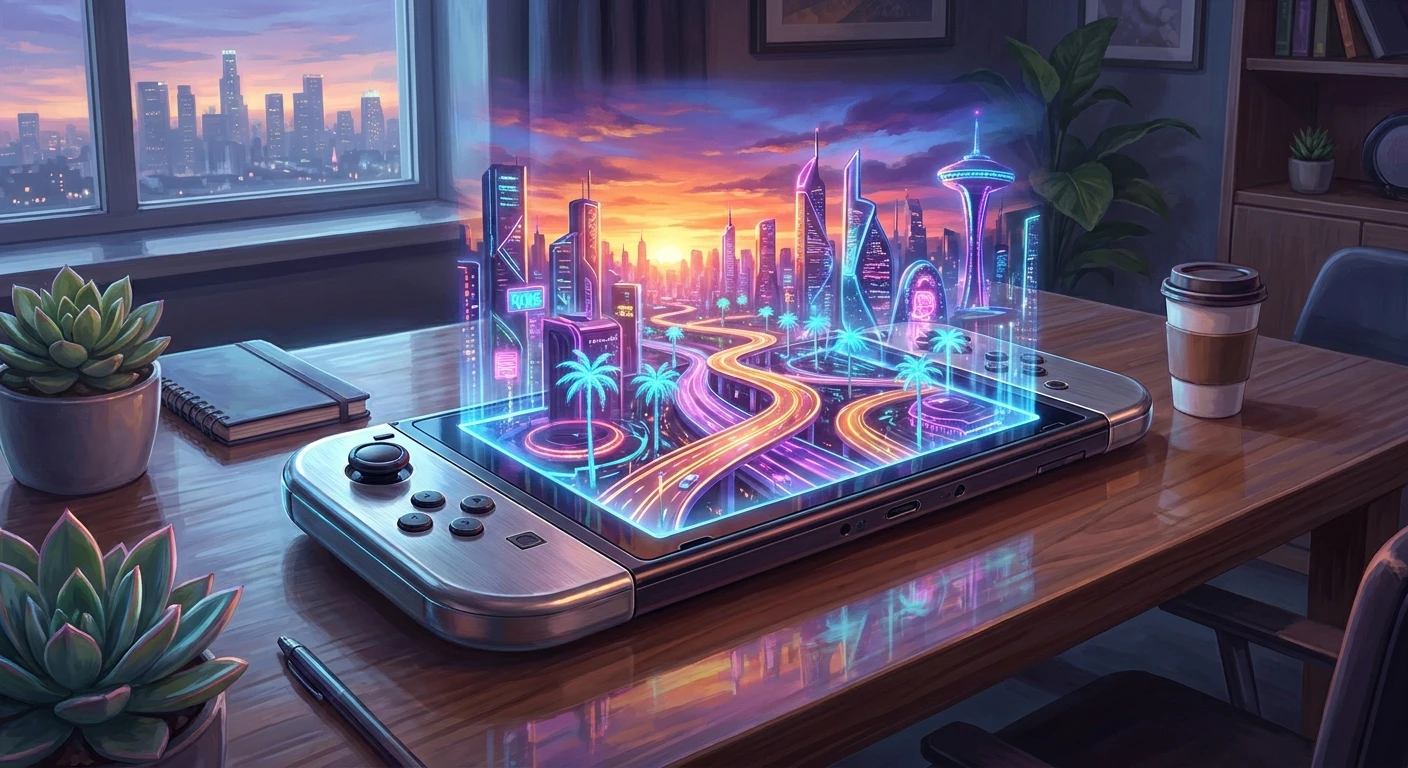
The Ultimate Guide to the GTA Switch Experience
Grabbing your console and booting up a GTA Switch session is an absolute game-changer for fans of open-world exploration who refuse to be tethered to a living room television. For decades, sprawling digital metropolises demanded heavy hardware, massive screens, and a dedicated couch setup. But the landscape of interactive entertainment has shifted dramatically. Today, the sheer novelty of navigating a massive, breathing sandbox environment while sitting on a commuter train or relaxing in a park simply cannot be overstated. We are looking at a radical shift in how we consume complex digital media, seamlessly blending high-end cinematic gameplay with the ultimate convenience of portability.
In this comprehensive breakdown, I am going to walk you through exactly how bringing this legendary franchise to a portable hybrid system fundamentally rewrites your daily gaming habits. You will learn the optimal ways to manage your system’s hardware limits, the best configurations for visual fidelity, and how to seamlessly transition between docked and handheld play. When you look back at older iterations of the genre, the concept of a fully realized pocket-sized world felt like science fiction. Now, holding that power in the palm of your hand requires just a bit of strategic optimization to ensure you get the absolute best performance possible out of your hardware.
Read also: Nintendo Switch won't charge? Fast Technical Fixes; Nintendo Switch 2 Leaks: Specs, Rumors, and Hardware News.
Why the Portable Sandbox Changes Everything
Transitioning from a traditional console to a hybrid ecosystem introduces a fascinating mix of immense benefits and minor hardware compromises. The core value proposition here is flexibility. Imagine you are halfway through a massively complex cross-map delivery mission, and you suddenly need to leave the house. Instead of pausing and hoping your console does not time out, you simply undock the system, slide on the controllers, and continue exactly where you left off. This level of continuity keeps you immersed in the game world without letting real-world interruptions ruin your momentum. Another prime example of this value proposition is the ability to share the main household television with family members without sacrificing your own gaming time; you simply migrate to the patio or your bedroom with zero friction.
| Performance Metric | Handheld Mode | Docked Mode |
|---|---|---|
| Target Resolution | 720p (Dynamic Scaling) | 1080p (Upscaled) |
| Frame Rate Stability | 30 FPS with minor drops | Solid 30 FPS Cap |
| Battery Drain Rate | High (Requires management) | Not Applicable (AC Power) |
| Preferred Control Method | Attached Joy-Cons with Gyro | Pro Controller |
To truly understand why the portable experience is so highly praised by the community, we have to look at the practical, day-to-day advantages it offers. The hardware might be compact, but the sheer utility it brings to a massive open-world game is unparalleled. Here are the top three definitive benefits of taking your sandbox adventures on the go:
- Instant Sleep Mode Resumption: By far the most powerful feature of the hybrid console. You can freeze the entire digital world in a microsecond by tapping the power button, completely bypassing the agonizingly long loading screens associated with booting the game from scratch.
- Tactile Gyro Aiming Integration: Unlike traditional dual-analog setups, moving the physical console to fine-tune your aiming reticle adds a layer of intuitive precision. It makes high-speed drive-by mechanics and precise targeting significantly more accessible.
- Unprecedented Local Portability: The psychological freedom of not being locked to a single piece of furniture encourages shorter, more frequent bursts of gameplay. You can accomplish side missions during a fifteen-minute coffee break, which drastically changes how you pace your progression.
Origins of Portable Open Worlds
The dream of carrying a living, breathing virtual city in your pocket did not begin with modern hybrid hardware. We have to look back at the early 2000s to see the first ambitious attempts at shrinking massive environments down to handheld formats. Early portable systems experimented with top-down perspectives and heavy graphical compromises just to render a few city blocks. However, it was not until the mid-2000s that developers cracked the code, proving that a true 3D sandbox could function on a battery-powered device. Those early titles laid the foundational blueprint for memory management and aggressive draw-distance culling—techniques that are still heavily utilized in modern porting processes today.
Evolution to the Hybrid Console
As smartphone technology surged forward, we saw legacy titles ported to touch-screen interfaces. While impressive from a technical standpoint, the lack of tactile buttons always left the experience feeling slightly hollow. The industry desperately needed a dedicated gaming machine that bridged the gap between mobile convenience and home console power. When the hybrid console concept finally hit the market, it revolutionized the porting process. Developers could suddenly target a single, unified architecture that supported both a docked 1080p output and a 720p mobile screen, allowing games that were once thought impossible to run on a battery-powered device to flourish. You can clearly see this lineage when you consider the prototype for modern Grand Theft Auto design, which demanded increasingly complex physics engines that pushed hardware to its absolute limits.
The Modern State of Handheld Chaos
Today, the landscape of portable gaming is breathtaking. Hardware optimization has reached a point where full-scale, uncompromised open worlds are readily available on store shelves. The demand for these massive titles on mobile hardware continues to skyrocket, driven by a demographic of adult gamers who simply lack the time to sit in front of a television for six hours straight. We are seeing a renaissance of classic collections and massive ports hitting the eShop, completely reshaping how we interact with media. As many fans are replaying them in the lead-up to next-generation releases, having these massive playgrounds available on a daily commute has proven to be an incredibly lucrative and popular market strategy for publishers.
The Science of Shrinking a Metropolis
Understanding Hardware Limitations and Optimization
Running a massive simulation on a portable chipset requires a symphony of backend technical tricks. The primary hurdle is the System on a Chip (SoC) architecture, which has to balance processing power against thermal output and battery constraints. When playing Grand Theft Auto V and GTA Online or similarly massive titles, the game engine relies heavily on dynamic resolution scaling. This means that when the screen is filled with explosions, speeding cars, and complex AI behaviors, the engine secretly drops the internal rendering resolution to maintain a steady frame rate. It is a fascinating digital sleight of hand; the game sacrifices a few pixels of clarity to ensure that the actual gameplay remains completely fluid and responsive to your controller inputs.
Battery Drain and Thermal Management
Heat is the enemy of all portable electronics. When you are forcing a compact device to calculate the physics of a fifty-car pileup, the internal components generate significant thermal energy. If the system gets too hot, it will intentionally throttle its own performance—resulting in noticeable lag—to protect the circuitry. Managing this thermal output while simultaneously drawing power from a compact lithium-ion battery is the biggest challenge developers face. To combat this, they employ several brilliant software engineering tactics:
- Aggressive occlusion culling completely halts the rendering of any buildings, pedestrians, or vehicles that are currently outside of the player’s immediate field of view, drastically saving GPU resources.
- Asynchronous compute prioritizing shifts the processor’s focus, ensuring that driving physics and collision detection are calculated milliseconds before aesthetic features like dynamic shadows or weather effects.
- Texture streaming from the MicroSD card is highly optimized, loading lower-resolution proxy models in the distance and seamlessly swapping them for high-resolution assets only as the player gets closer.
- Audio compression algorithms are utilized to shrink the file sizes of massive radio station soundtracks without introducing noticeable distortion through the console’s built-in stereo speakers.
7-Day Master Plan for the Ultimate Handheld Setup
Day 1: System Optimization and Storage Management
Before you even launch the game, you need to ensure your hardware is prepared for a massive installation file. Clear out at least 30 gigabytes of space on a high-speed MicroSD card. Installing massive open-world titles directly onto the console’s internal flash memory can sometimes yield slightly faster load times, but a high-quality Class 10 SD card is perfectly sufficient. Run a full system update to ensure your firmware is current.
Day 2: Tweaking the Display and Control Settings
Boot up the game and immediately head into the options menu. Turn off motion blur if the option is available, as it can muddy the visuals on the smaller 720p screen. Adjust the camera sensitivity to be slightly lower than what you would use on a television; the smaller analog sticks on the portable controllers require a gentler touch for precise driving and shooting.
Day 3: Mastering Gyro Controls on the Go
Dedicate this day to practicing with gyroscope aiming. Turn the feature on and spend an hour just driving around and shooting at stationary targets. The trick is to rely on the right analog stick for large, sweeping camera movements, and then physically tilt the console itself to snap your crosshairs directly onto the target for fine-tuned accuracy. It takes practice, but it becomes second nature.
Day 4: Managing Battery Life During Long Sessions
If you are planning a long commute, you must optimize your battery drain. Turn down the system’s screen brightness to about sixty percent and absolutely turn on Airplane Mode if you are only playing the single-player campaign. Disabling the Wi-Fi antenna stops the system from constantly pinging for networks in the background, saving you at least an extra forty-five minutes of screen time.
Day 5: Transitioning Between Handheld and Docked Modes
Practice the transition to see how the game handles the shift in resolution. When you drop the console into the dock, the system immediately pushes the graphical output to a higher tier. Pay attention to how the frame pacing adjusts. If you notice a slight stutter immediately after docking, pause the game for five seconds to allow the internal processor to catch up and load the higher-resolution textures.
Day 6: Troubleshooting Frame Drops and Stutters
If you experience heavy lagging during intense police chases or massive explosions, do not panic. First, ensure your console is not overheating by checking if the rear exhaust vent is blocked by your fingers. If the game consistently chugs in certain dense areas of the map, doing a hard reboot of the console (holding the power button for 15 seconds) clears the RAM cache and often resolves lingering memory leaks.
Day 7: Exploring Advanced Multiplayer Features Safely
Once you are comfortable with the controls and performance, it is time to venture online. If you are playing in handheld mode, ensure you are connected to a robust 5GHz Wi-Fi network. Avoid playing competitive multiplayer modes on public coffee shop Wi-Fi, as the latency spikes will make you an easy target. Stick to cooperative missions where a split-second delay will not ruin the entire experience.
Myths & Reality: Clearing Up Portable Misconceptions
Myth: The hybrid console version looks completely identical to the high-end desktop or modern home console releases.
Reality: The developers rely heavily on dynamic resolution scaling, lower anisotropic texture filtering, and reduced pedestrian density to maintain a playable frame rate. It looks incredible for a handheld, but it is not a 1:1 match with a high-end setup.
Myth: You cannot play these massive games without a constant, high-speed internet connection.
Reality: Unless you are specifically logging into the online multiplayer components, the entire single-player campaign is fully accessible offline. You can play deep in the woods or on a transatlantic flight with zero connectivity.
Myth: The console’s battery will die in less than forty-five minutes when running such a demanding graphics engine.
Reality: By utilizing Airplane Mode, lowering the screen brightness, and turning off rumble features, you can easily squeeze two and a half to three hours of continuous gameplay out of a fully charged standard battery.
Frequently Asked Questions
Is a high-speed MicroSD card strictly required?
Yes. Given the massive file sizes of modern sandbox games, the internal storage of the console is rarely sufficient. A UHS-I MicroSD card is highly recommended to prevent texture streaming pop-in.
Do third-party controllers work effectively?
Absolutely. If you are playing in docked mode or using the kickstand on a table, connecting a premium third-party wireless controller often provides much better analog stick precision than the standard attachments.
Can I transfer my existing save files from a PC or another console?
Generally, cross-progression is limited or non-existent for the single-player campaigns. However, specific online multiplayer profiles linked to your social club account may transfer depending on the publisher’s current ecosystem policies.
Does the console overheat during long sessions?
The console will get noticeably warm near the exhaust vents, which is completely normal. The system has built-in thermal safeguards and will shut itself down long before any actual hardware damage can occur.
Are there any missing radio stations or removed songs?
Due to expiring music licensing agreements, some older tracks from the original releases may be patched out or replaced, but the vast majority of the classic audio experience remains perfectly intact.
Is cloud saving supported for the single-player campaign?
Yes, provided you have an active subscription to the console’s online service network. This is a lifesaver if you ever need to upgrade your hardware or if your device gets damaged.
Does the touchscreen provide any gameplay benefit?
Touchscreen integration is usually very limited. Developers tend to map all essential functions to the physical buttons, though you can occasionally use the screen to pan the camera or navigate the main pause menu.
Bringing a sprawling metropolis into your backpack is a technical marvel that completely redefines the boundaries of interactive entertainment. By optimizing your system settings, managing your battery drain, and embracing the flexibility of the GTA Switch experience, you unlock an entirely new way to explore your favorite virtual worlds. Grab your console, make sure your battery is charged, and start your next portable adventure today!

Leave a Reply