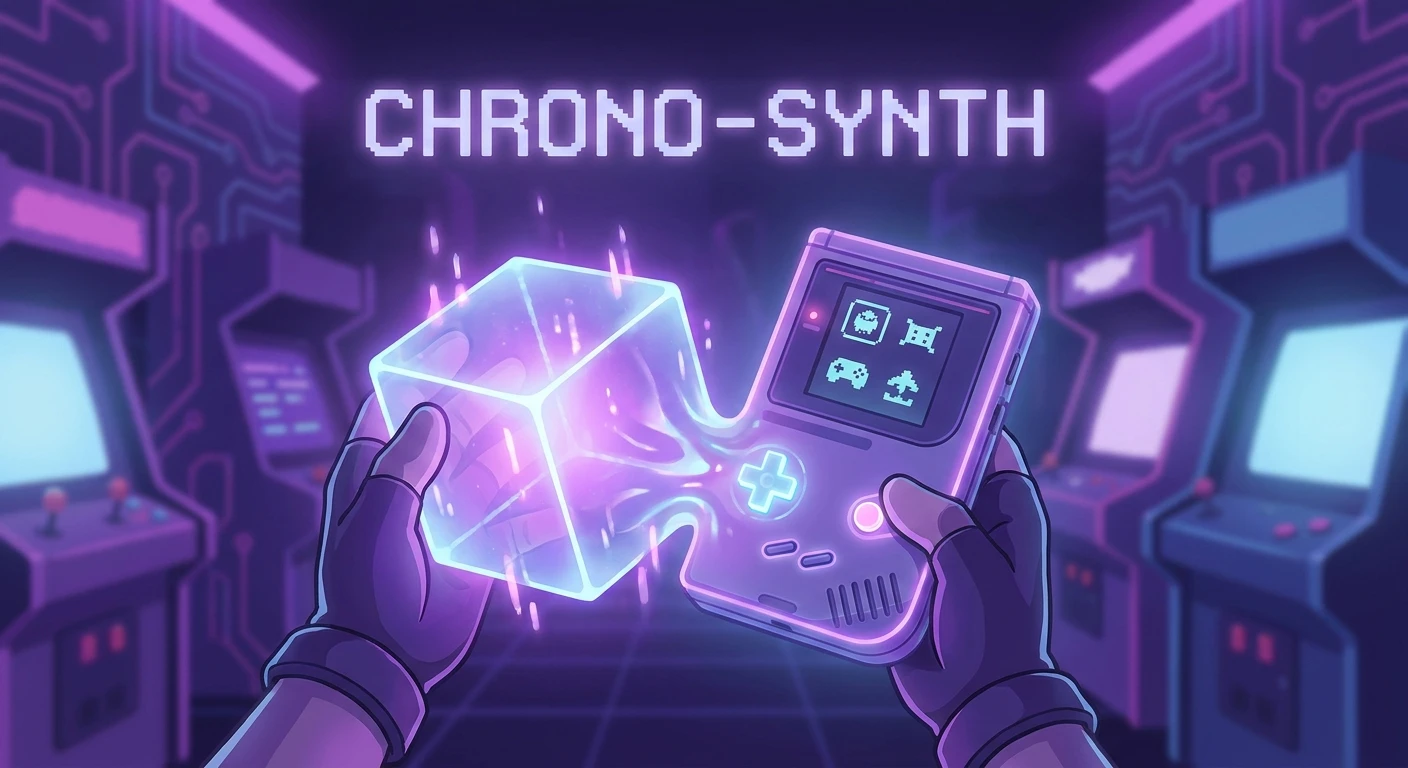
The Resurgence of Nintendo Switch GameCube Classics
When the conversation turns to retro gaming, setting up a Nintendo Switch GameCube environment brings an unmatched wave of nostalgia for millions of players. The early 2000s represented a golden era of 3D platformers, intense local multiplayer battles, and unique controller designs that continue to influence the industry. Merging the portability of modern hybrid hardware with the iconic block-shaped console’s software library creates the ultimate gaming experience. Fans no longer have to remain tethered to bulky CRT televisions to enjoy their favorite childhood hits.
The current hardware ecosystem allows dedicated fans to bridge the gap between generations. By utilizing official peripherals and exploring the growing library of remastered titles, players can recreate the magic of the early millennium anywhere they go. This fusion of classic charm and modern convenience requires a basic understanding of hardware compatibility, accessory availability, and software optimization. Whether you are aiming to compete in high-stakes platform fighter tournaments or simply wish to relax with a classic puzzle adventure, the hybrid console provides robust solutions. Our comprehensive breakdown will guide you through the intricacies of building this setup, ensuring that every button press feels just as authentic as it did over two decades ago.
Read also: Silent Hill 2 Xbox: The Ultimate Console Experience; Nintendo Switch 2 Leaks: Specs, Rumors, and Hardware News.
Maximizing the Hybrid Hardware Experience
Combining the beloved sixth-generation aesthetics with contemporary hardware offers incredible benefits that extend beyond pure nostalgia. The core value proposition lies in the dramatic improvement in visual fidelity and accessibility. Original hardware outputted video at a maximum resolution of 480p, which often looks blurry or distorted on modern 4K displays. By contrast, playing remastered versions of these classics on contemporary screens introduces crisp high-definition textures, widescreen support, and stabilized frame rates. Furthermore, the hybrid nature of the console means you can effortlessly transition from a large living room television to handheld mode, a feat that was strictly impossible during the original era.
To clearly illustrate how the software library has successfully transitioned, reference the following availability chart detailing major releases:
| Original Game Title | Initial Release Year | Modern Switch Availability |
|---|---|---|
| Super Mario Sunshine | 2002 | Super Mario 3D All-Stars (HD Remaster) |
| Metroid Prime | 2002 | Metroid Prime Remastered (Visual Overhaul) |
| Pikmin 1 & 2 | 2001 / 2004 | Pikmin 1+2 Collection (Upscaled Port) |
| Tales of Symphonia | 2003 | Tales of Symphonia Remastered |
Beyond the graphical enhancements, players benefit from modern conveniences such as cloud saves, suspended gameplay, and wireless audio support. For instance, you can pause an intense boss battle in handheld mode, put the device to sleep, and resume instantly hours later. To fully recreate the authentic tactile sensation, players generally rely on specific hardware setups.
- Official Controller Adapters: Utilizing the USB adapter originally released for the Wii U allows you to plug up to four original wired gamepads directly into the dock.
- Wireless Replicas: Purchasing modern, officially licensed third-party wireless controllers that mimic the classic button layout and octagonal joystick gates.
- Remastered Software: Purchasing officially optimized software from the eShop that natively supports the nuanced control schemes of the older era.
- Custom Button Mapping: Using the system-level control mapping feature to reassign standard buttons to match the classic layout for non-optimized games.
Origins of the GameCube Era
The story begins in the late 1990s under the codename “Project Dolphin.” Following the cartridge-based era, developers demanded a transition to optical media to increase storage capacity and reduce manufacturing costs. However, to combat piracy and maintain rapid load times, a proprietary mini-DVD format was chosen. Launched in late 2001, the system was characterized by its distinctive indigo cube shape, an integrated carrying handle, and a highly unconventional controller featuring a massive primary action button and dual analog triggers. This era solidified numerous intellectual properties and introduced mechanics that remain industry standards today.
Evolution of Nintendo’s Backward Compatibility
For years, backward compatibility was a staple of hardware transitions. The immediate successor, the Wii, achieved massive success partly because it natively accepted older discs, memory cards, and controllers. This seamless transition meant the classic library remained highly active throughout the late 2000s. However, as the industry shifted toward high-definition graphics and digital storefronts with the Wii U, direct physical compatibility was phased out. Instead, digital distribution via a Virtual Console became the norm for older generations, though the sixth generation remained conspicuously absent from these digital storefronts, leaving a massive gap in accessibility.
Modern State of Switch Retro Gaming
Today, the strategy has completely shifted. Instead of offering a dedicated emulation application for this specific generation, publishers focus on releasing high-quality, standalone HD remasters or bundled collections. This approach ensures that the games run flawlessly on the ARM-based architecture of the current hardware, taking full advantage of the Tegra processor. While fans continue to advocate for a subscription-based library similar to older console applications, the steady stream of polished, individual releases provides an arguably superior visual and mechanical experience for modern audiences.
Hardware Architecture and Emulation Hurdles
Understanding why native emulation of sixth-generation software on a portable device is highly complex requires a brief look at the underlying processor architectures. The original 2001 hardware was powered by an IBM PowerPC-based processor known as the “Gekko,” working in tandem with an ATI-developed “Flipper” graphics chip. These components processed instructions in a fundamentally different manner than the modern custom Nvidia Tegra X1 system-on-chip, which utilizes an ARM architecture. Translating instructions from a PowerPC environment to an ARM environment requires immense computational overhead. The emulator must interpret every single line of legacy code on the fly, translating it into something the Tegra chip can understand, which demands significantly more processing power than simply running native code.
Controller Input and Analog Trigger Mapping
The secondary technical hurdle involves the physical input methods, particularly the shoulder buttons. The 2001 gamepad featured deep, spring-loaded analog triggers that measured the exact distance the button was pressed. Games heavily relied on this for mechanics like regulating water pressure or adjusting shield density. Modern Joy-Cons and Pro Controllers, however, utilize digital triggers that only register a binary “on” or “off” state.
- Gekko Processor Speed: Originally clocked at 485 MHz, highly customized for rapid memory access.
- Tegra X1 CPU: Features a quad-core ARM Cortex-A57 running up to 1.02 GHz.
- Analog Potentiometers: The classic L and R triggers used sliding mechanisms to output variable resistance data.
- Digital Actuation: Modern shoulder buttons use simple dome switches for instantaneous, but unvaried, input.
- Adapter Polling Rate: The official USB adapter polls inputs at approximately 125Hz, matching native hardware response times.
Day 1: Assess Your Hardware Compatibility
Before purchasing any accessories, verify your exact setup. If you own the standard docked console or the OLED model, you possess the necessary USB ports to utilize wired adapters. If you own the Lite version, which lacks a dock, you must acquire a reliable USB-C to USB-A dongle. Ensure your system firmware is fully updated, as newer updates have continually improved USB peripheral recognition and stability.
Day 2: Acquire the Necessary Adapters
The cornerstone of an authentic experience is the USB adapter. While the official peripheral released alongside major fighting game titles is the gold standard for reliability and zero input latency, several reputable third-party brands offer functional alternatives. When shopping, prioritize adapters that feature a dedicated “Wii U/Switch” toggle switch on the back, as this ensures the hardware will correctly identify the inputs without confusing the peripheral for a generic PC input device.
Day 3: Source Genuine Controllers
Tracking down authentic gamepads requires diligence. Used markets and retro gaming stores frequently stock original models, but ensure you test the analog sticks for “drift” or looseness. The central stick is notorious for wearing down over decades of heavy use. Alternatively, seek out the newly manufactured official editions released periodically for fighting game tournaments, which boast brand-new internal components while retaining the exact original molds.
Day 4: Download Officially Remastered Titles
Navigate the eShop to build your software library. Begin with universally acclaimed remasters that have been heavily optimized for current hardware. Games like Metroid Prime Remastered showcase exactly how beautifully these older titles can scale when handled by talented development teams. Ensure you have adequate storage space or a high-capacity MicroSD card, as these modernized versions feature high-resolution textures that require significantly more gigabytes than their original disc counterparts.
Day 5: Configure Button Mappings
For games that do not natively support the classic adapter, use the system-level button remapping feature found in the system settings menu. You can reassign inputs globally to make the classic layout viable for modern games. Save these custom profiles as presets so you can rapidly toggle between standard mapping and your retro-focused configuration depending on the software you are launching.
Day 6: Test Local Multiplayer Setups
The greatest strength of the original hardware was its four-player local multiplayer capabilities. Gather your friends, plug in four gamepads to the adapter, and launch a multiplayer title. Test each port on the adapter to guarantee there are no disconnects or input drops. This step is crucial for preparing for local tournaments or casual weekend gatherings, ensuring everyone has a seamless, lag-free experience.
Day 7: Optimize Display and Audio Settings
Finalize your setup by diving into your television and console settings. Activate your television’s “Game Mode” to minimize display latency, which is critical for precision platformers and fast-paced fighters. Adjust the console’s RGB range to “Full” if your monitor supports it, ensuring the vivid, colorful art styles of the early 2000s pop brilliantly on your modern display. Ensure surround sound is enabled if you are using an audio receiver, as many of these older titles featured fantastic, uncompressed spatial audio.
Myths & Reality
Myth: A dedicated subscription app exists for this generation.
Reality: Unlike the NES, SNES, and N64 libraries, there is currently no standalone application for sixth-generation games; they are sold individually.
Myth: The original controllers do not work without hacking the console.
Reality: The system natively supports the official USB adapter right out of the box, offering plug-and-play functionality for the home screen and compatible software.
Myth: All modern games play perfectly with the classic controller.
Reality: Because the classic gamepad lacks a “ZL” button, a left bumper, and clickable analog sticks, it is missing critical inputs required by many contemporary titles.
Myth: Third-party wireless replicas have analog triggers.
Reality: Almost all modern third-party wireless controllers designed to look like the classic gamepad feature digital triggers to ensure compatibility with standard modern software.
Can I play original optical discs on the modern hardware?
No. The current hardware lacks a disc drive entirely, relying solely on proprietary flash memory cartridges and digital downloads. You must purchase the modernized digital or physical cartridge versions of the games.
Will more classic titles be remastered in the future?
While unconfirmed officially, industry trends and continuous strong sales of retro ports heavily suggest that publishers will continue bringing high-demand legacy titles to the active ecosystem over time.
Does the adapter work in tabletop mode?
Yes, provided you use a reliable USB-C to USB-A hub or a specialized stand with integrated USB ports. The console will recognize the adapter just as it would when docked.
How do I fix input lag with my setup?
Ensure your television is set to Game Mode. If you are using a third-party wireless controller, check for firmware updates via the manufacturer’s website. Wired official controllers routed through the official adapter offer the lowest possible latency.
Can I use the classic gamepad for modern competitive shooters?
It is highly discouraged. The unique button layout, lack of a second shoulder bumper, and octagonal joystick gates make dual-stick camera control incredibly clunky compared to a standard Pro Controller.
Are memory cards required?
No. All save data is stored directly on the console’s internal flash memory or your installed MicroSD card. The memory card slots on modern third-party adapters are typically non-functional cosmetic additions or used strictly for PC firmware updates.
Is rumble supported?
Yes, the classic wired controllers will vibrate, provided you plug in the secondary gray USB plug from the adapter into the dock, which supplies the necessary power for the rumble motors.
Building a fully optimized Nintendo Switch GameCube ecosystem allows you to preserve gaming history while enjoying the profound benefits of contemporary technology. By sourcing the right hardware adapters, maintaining genuine controllers, and supporting beautifully crafted software remasters, the spirit of 2001 remains incredibly vibrant. Do not let these masterpieces fade into obscurity—grab your adapter, secure your favorite classic gamepad, and start building your ultimate retro-modern library today!

Leave a Reply